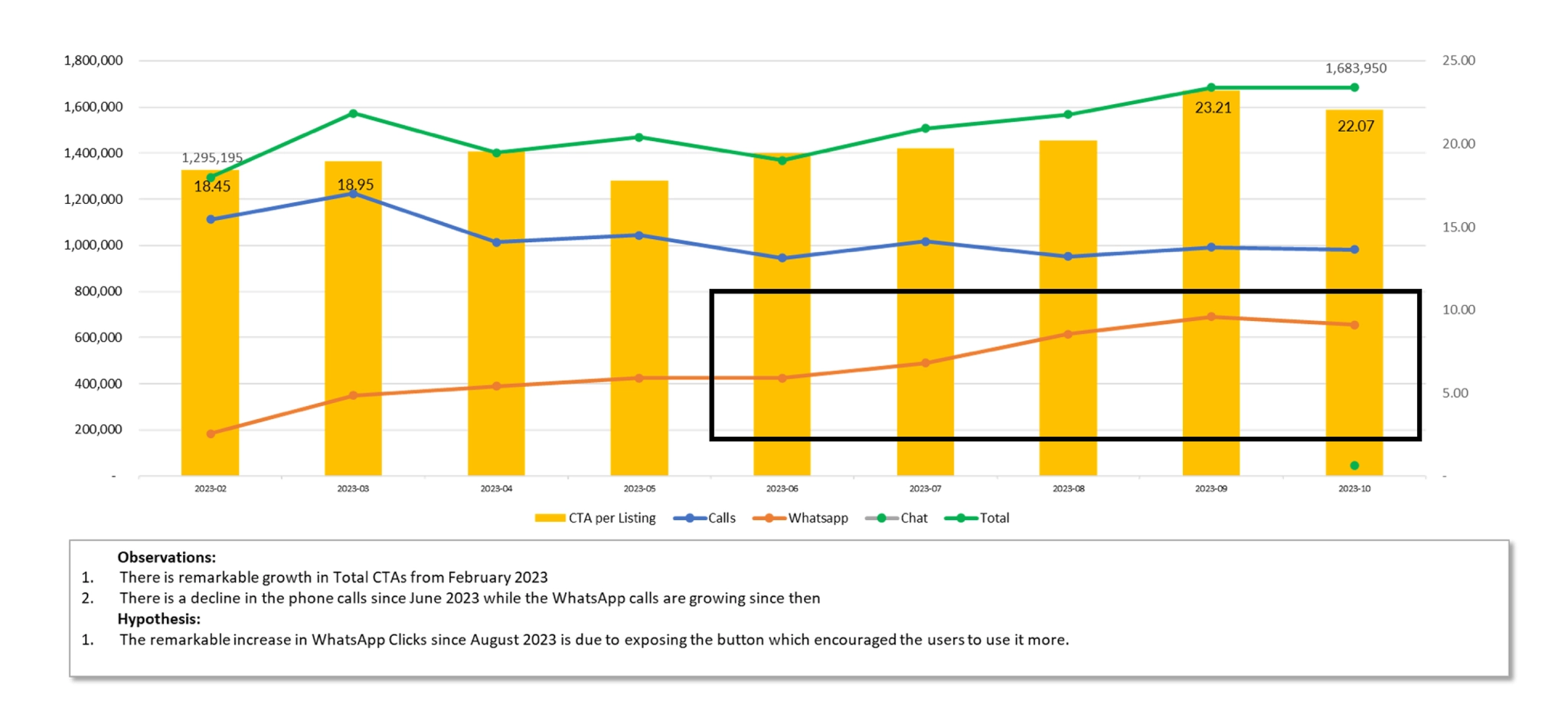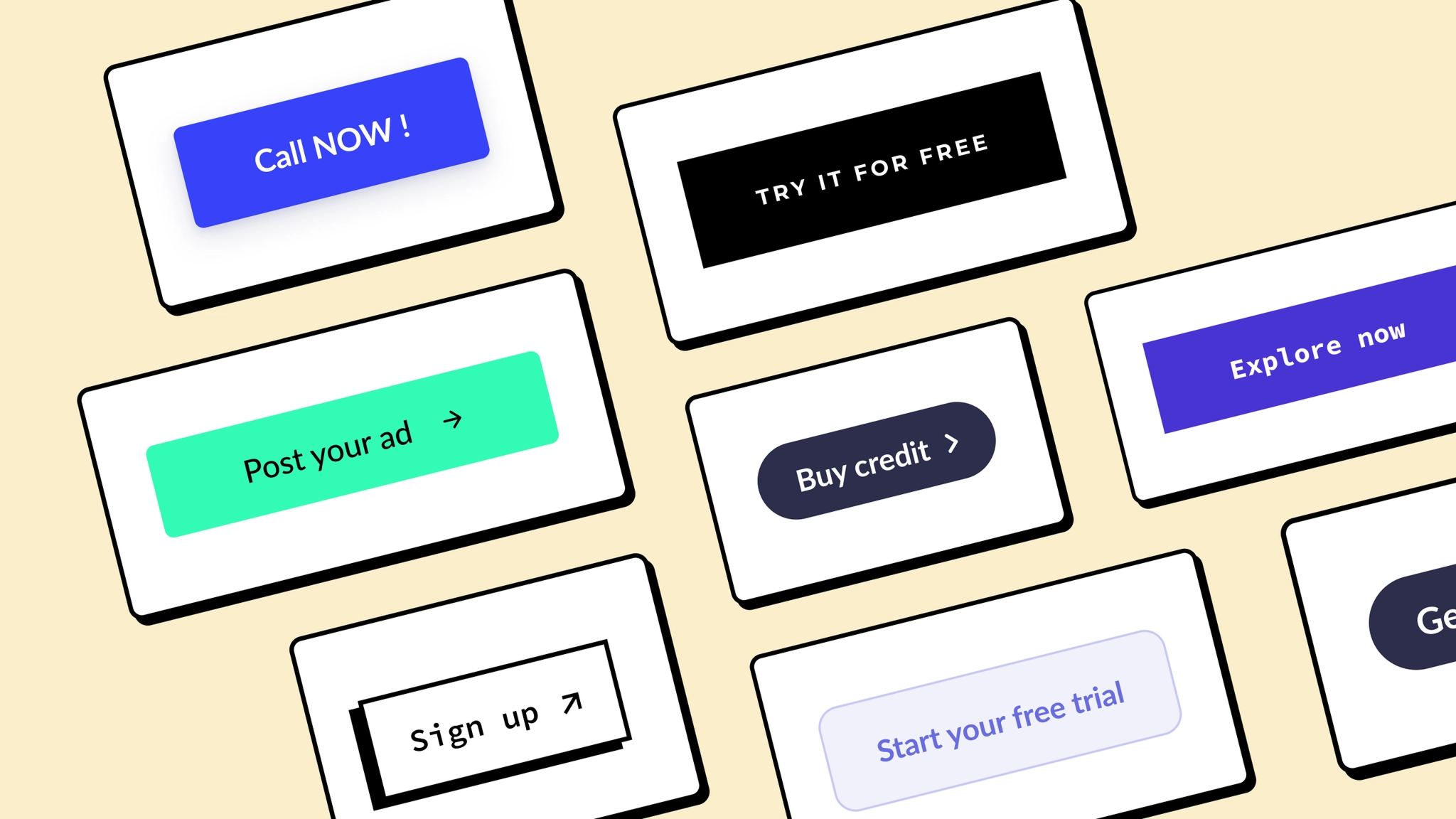
Optimizing call-to-action placement, design, and clarity to guide users through conversion funnels and achieve business objectives.
Context
CTA stands for "Call to Action" — a prompt or instruction given to the audience with the goal of encouraging them to take a specific action.
Conversions refer to the desired actions that users take in response to a CTA, such as making a purchase, signing up for a newsletter, or filling out a form.
CTAs play a crucial role in guiding users through conversion funnels and achieving business objectives.
Framework
Where and how easily users can find and interact with the CTA.
Visual prominence that captures attention without overwhelming the interface.
Clear messaging that ensures users understand exactly what will happen when they tap.
Case Study 1
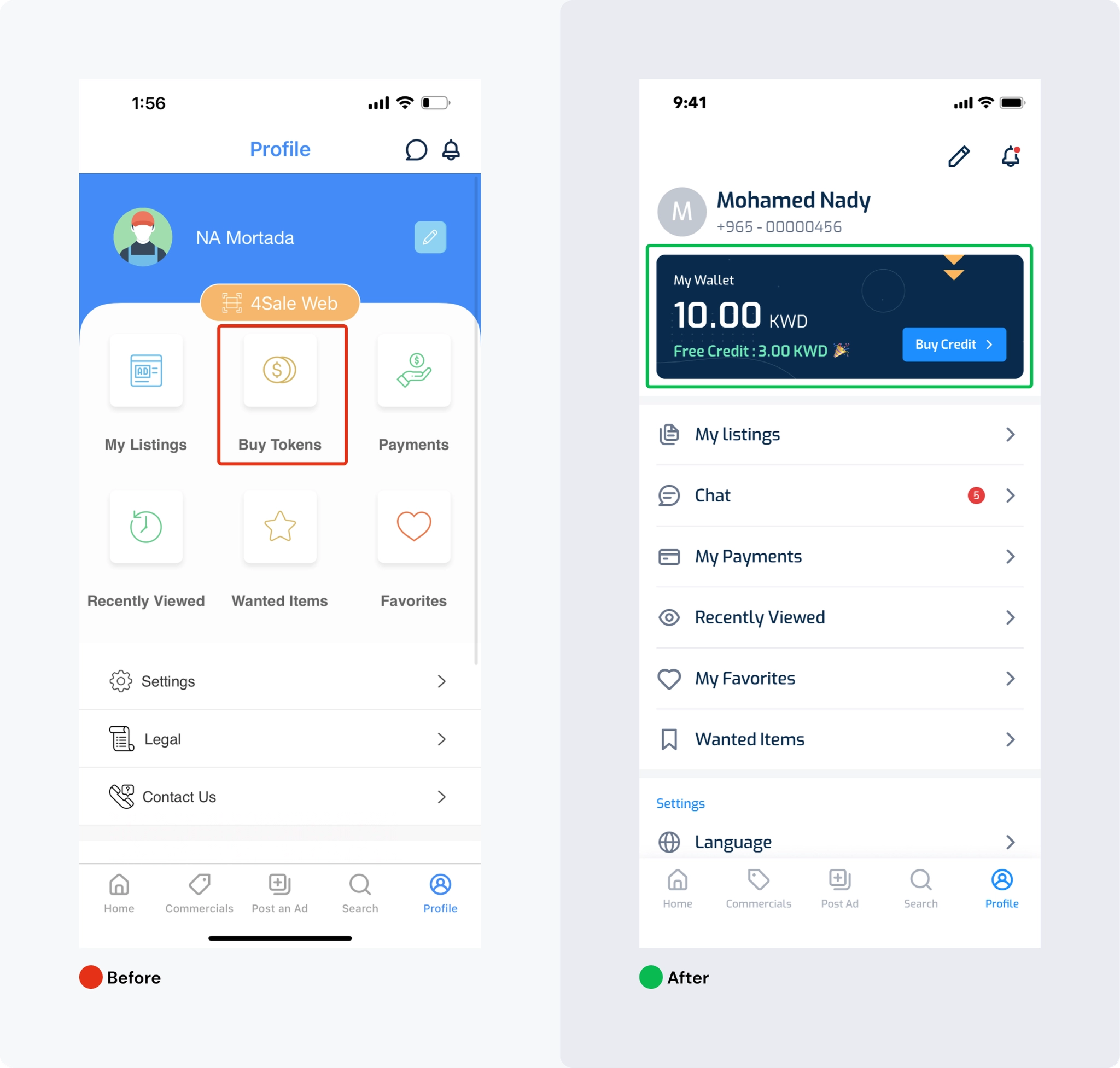
The profile screen had key challenges around action prioritization, information architecture, and page layout that impacted the user experience.
Results
Case Study 2
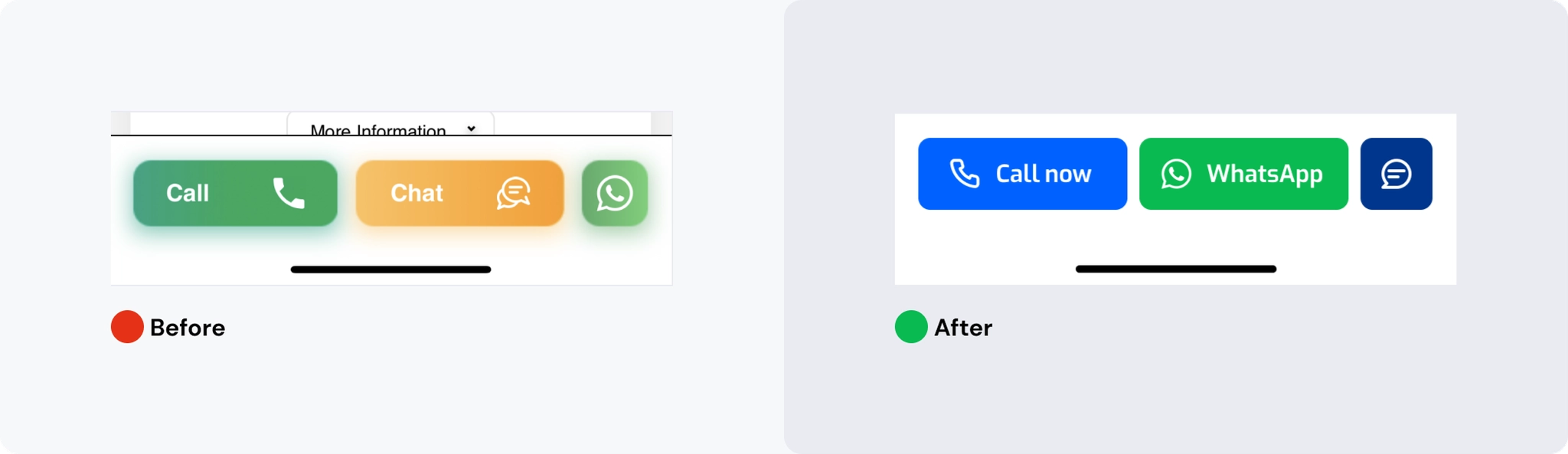
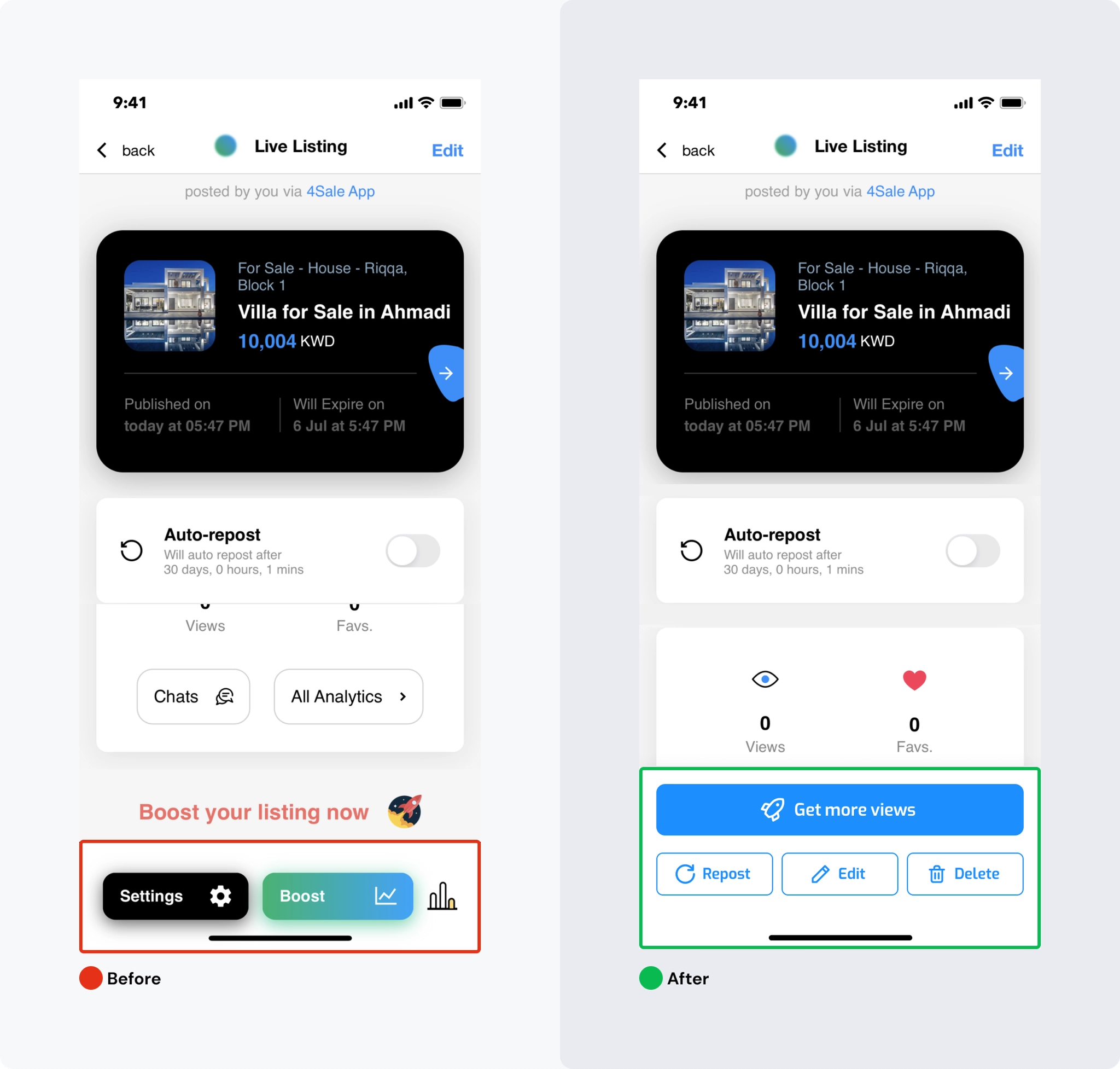
Button size and color significantly impact effectiveness. Buttons should be visually noticeable with contrasting colors that capture attention.
During the ad details project, the design team created multiple iterations, with the final design optimizing button arrangement based on importance.
Case Study 3
Clear messaging ensures users understand expected actions. Button text should be concise, specific, and communicate value to the user.
Results